Products / HighLevel app
The revenue-hunting app for HighLevel
Find the revenue already in your HighLevel pipeline.
Hunter runs inside your existing HighLevel account. It scores your contacts' websites for AI visibility, SEO and conversion, then ranks who to contact, what they need and what to sell next.
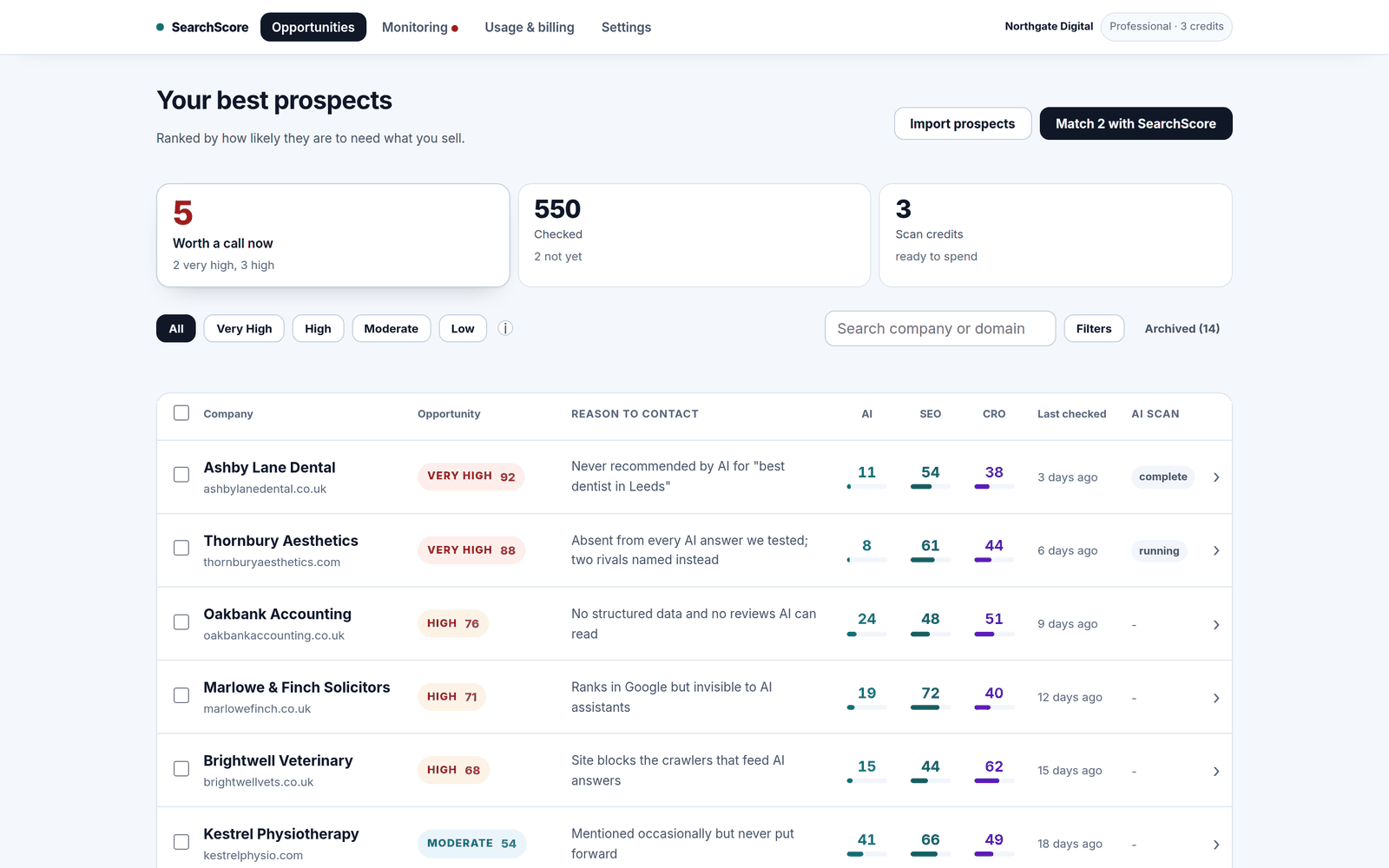
The ranked prospect list, shown with example businesses.
From HighLevel contact to sales conversation.
- Use your existing contactsStart with the businesses already in HighLevel.
- Keep findings on the contactHunter writes the scores back to your contacts.
- Use your HighLevel workflowsHunter triggers and actions on paid plans.
Your HighLevel contacts tell you who is there. Hunter shows who needs what you sell.
Not using HighLevel? SearchScore Agency is the standalone workspace for agencies.
How-to video
The HighLevel app (Hunter): install it and import prospects
Install the app in your own agency account, make two choices and import prospects to be scored and ranked. (89s)
Video transcript
Start from our install link. HighLevel asks which account to add it to. Choose your own agency account, not a client's, then accept the permissions. The app now sits in your left-hand menu. Open it from there. There is no second login. Two quick choices. Pick the account your prospects live in, and tick everything you sell, not just the main thing. Each prospect is ranked by whichever of these it needs most. Then Save and continue. To paste a list, choose Paste websites. One website a line, with the company name after a comma if you have it. Press Preview matches. You see exactly what will be imported, and what each import will use, before anything happens. Press Import websites. For a spreadsheet, choose Upload a CSV or Excel file. Check the website and company name columns are right, then press Import from this file. Your prospects come back scored and ranked. You can also import straight from your CRM contacts by tag, pipeline stage or recently added.